Risk Taxonomy
What is your Risk Taxonomy?
Your Risk Taxonomy in QuartzIQ represents a hierarchical inventory of all your Risks across your organization. QuartzIQ supports a 2-level Risk Taxonomy, consisting of Level 1 Risks (Risk Categories) and Level 2 Risks (Sub-Risks within each category).
Having a Risk Taxonomy in QuartzIQ is required in order to use the other Enterprise Risk Management features such as Risk Mappings and RCSA Campaigns, which will allow you to have a detailed overview of the Risks across your organization and their mitigation.
If you do not wish to create your own Risk Taxonomy, QuartzX can load a generic Risk Taxonomy for you. Contact us directly and we will be happy to activate this data for you.
Who can view the Risk Taxonomy?
All users that have access to QuartzIQ can view the organization's Risk Taxonomy and Risk details (name, description).
However, when viewing a Risk's details page, information such as linked Perimeters, linked Controls or Risk Assessments is contextualized to the user's access rights on the Perimeter. Users will only see Perimeters, Controls and Risk Assessments to which they have access.
Viewing your Risk Taxonomy and Risks
In order to view Risks:
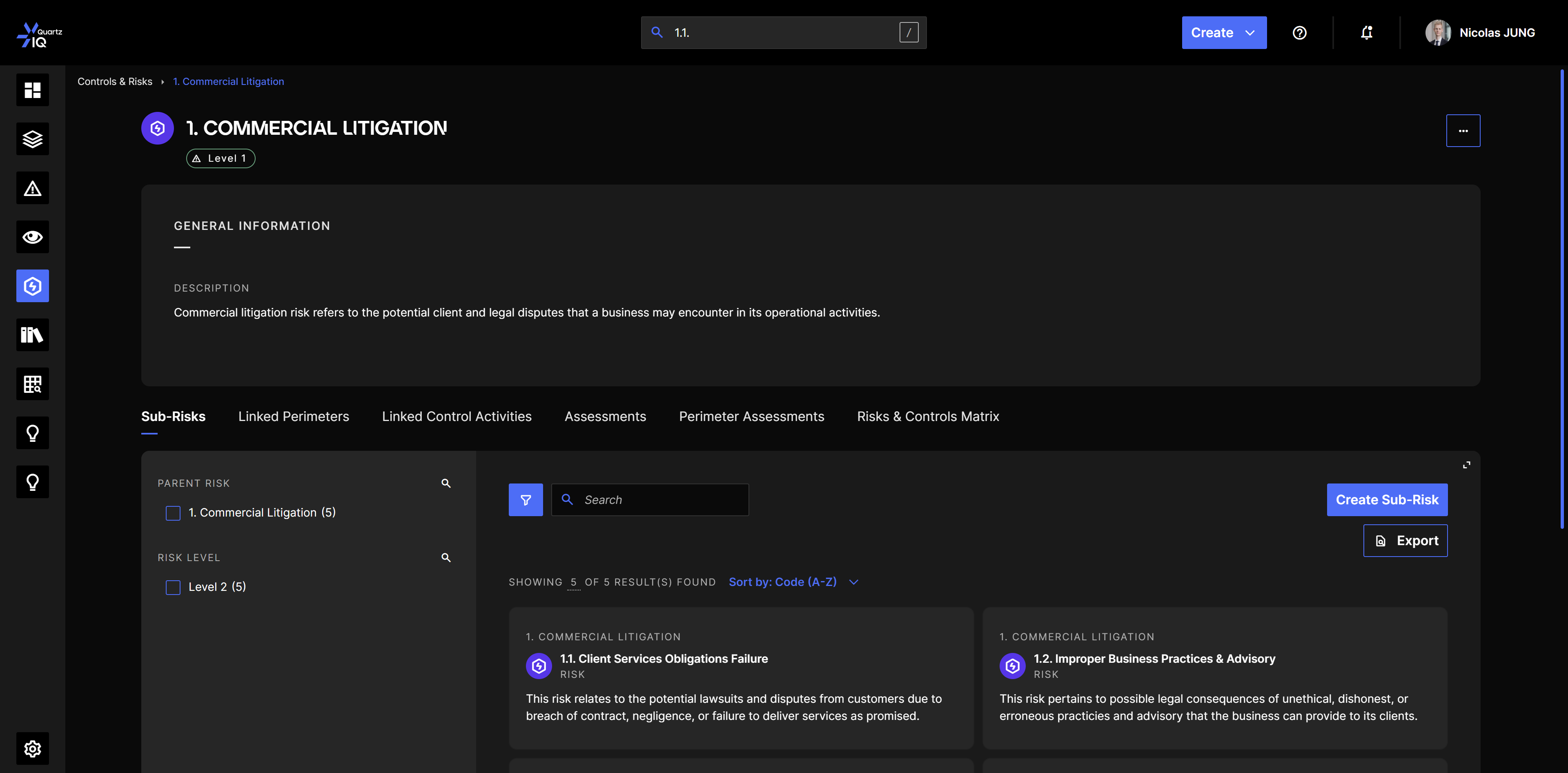
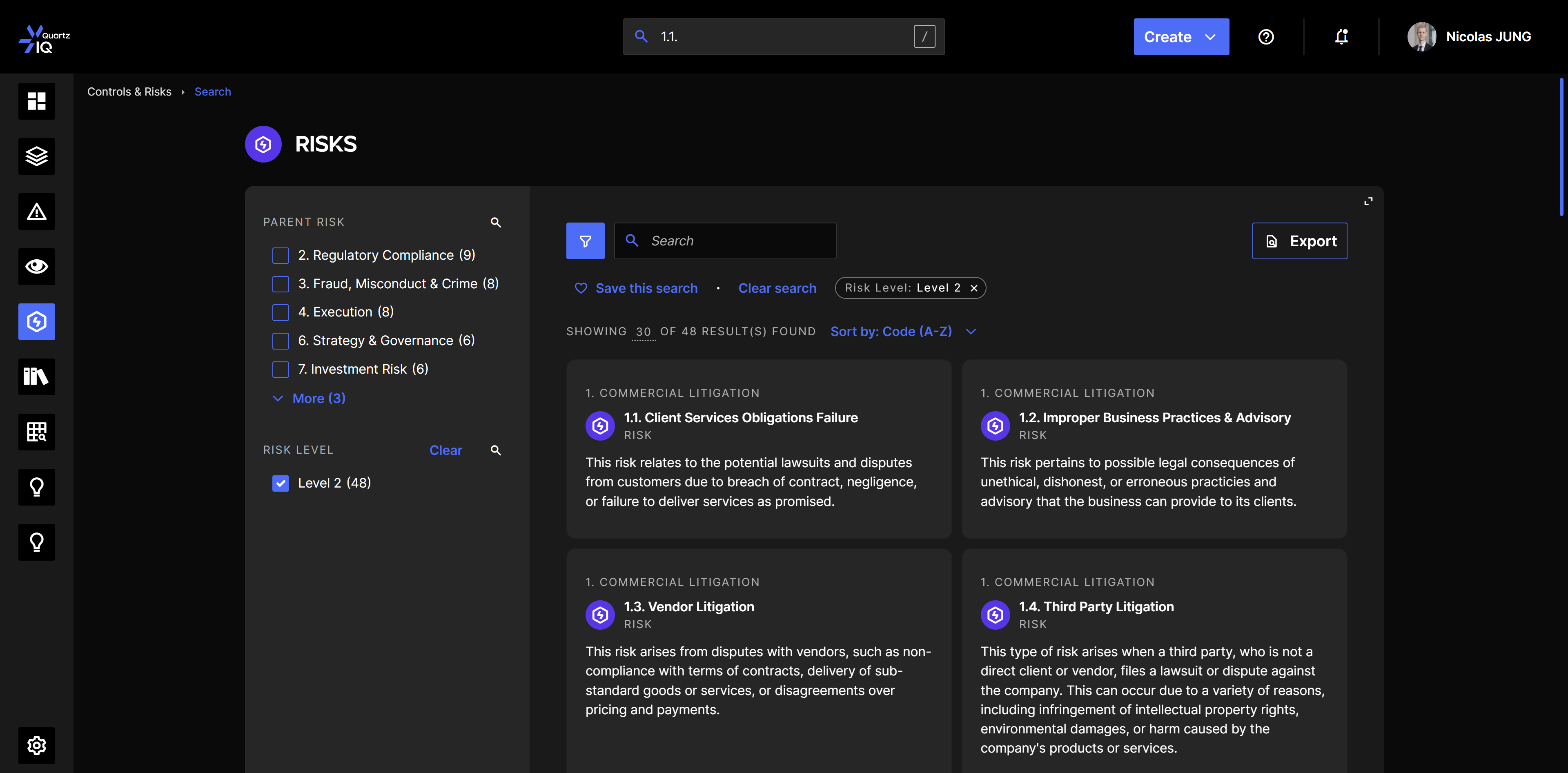
- In the side menu, navigate to Risks Management > Risks. You will be presented with the list of Risks in your organization.
- You can also access them using the spotlight search in the top bar.
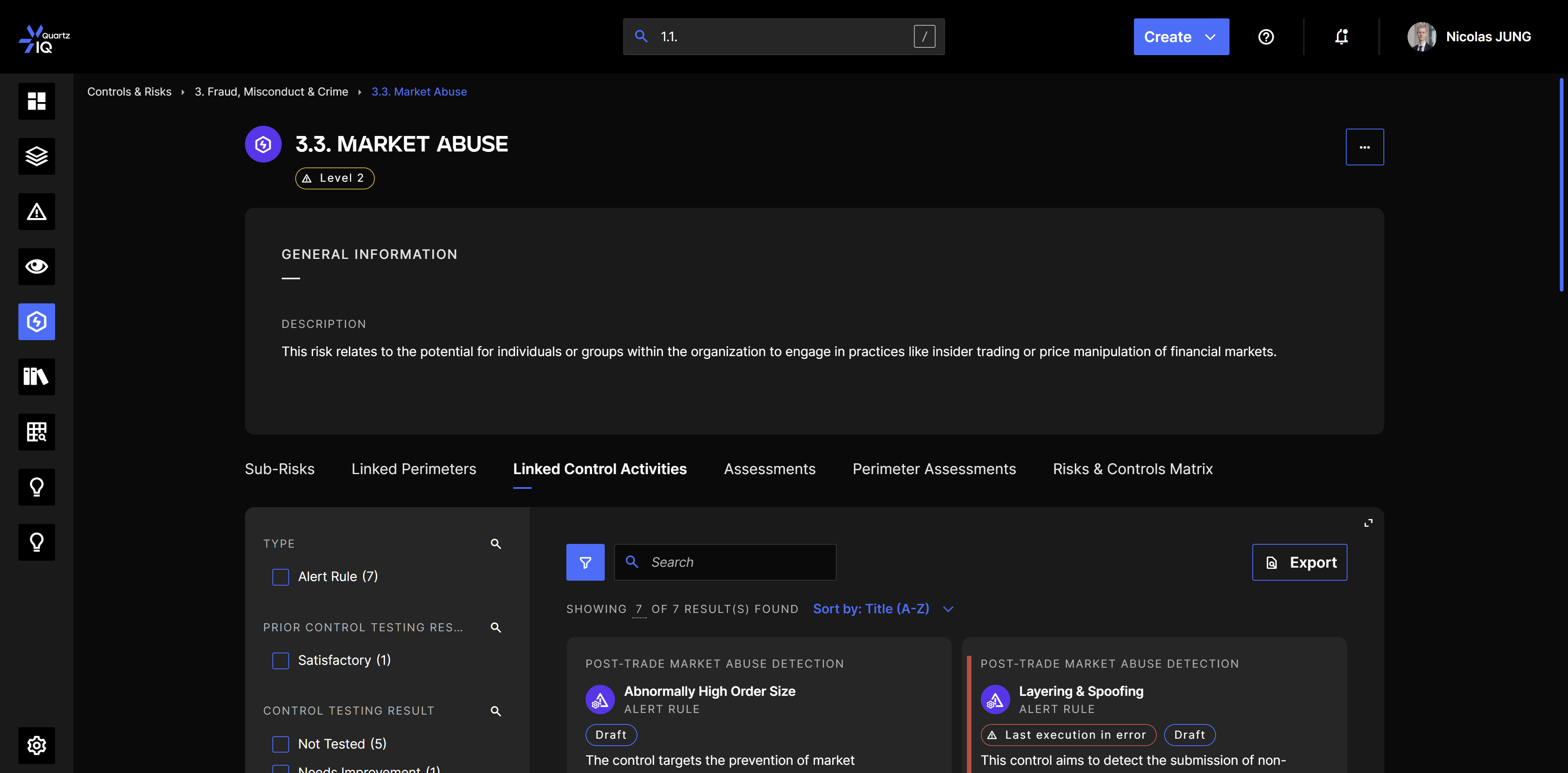
After clicking on a specific Risk, you will be presented with its detailed view containing:
- General Information: name and description of the Risk.
- Linked Perimeters and Linked Controls: the Perimeters on which the Risk has been mapped and the Controls that mitigate this Risk in your organization.
- Assessments: all consolidated Risk Assessments for RCSA Campaigns for this Risk.
- Perimeter Assessments: all Risk Assessments in the different Perimeters for RCSA Campaigns for this Risk.
- Risks & Controls Matrix: all Controls and Control Needs to which the Risk can be mapped.
Who can manage and edit the Risk Taxonomy?
In order to edit and configure your Risks, you need to have the IQ-RiskManager role in the application.
To add this role:
- If you are using SSO with an Azure AD, you can add the role directly within the Azure Portal.
- If you are not using SSO, you can configure this in your configuration portal under the Users section.
Creating your Risk Taxonomy
Creating a new Risk
To create your Risk Taxonomy, you need to create individual Risks and specify their general information.
To create Risks:
- In the top bar of QuartzIQ, click on the Create button and select the Risk option.
- You will be presented with a stepper allowing you to insert details such as the Code, Name and Description.
- You can also select the Risk Category, which determines the level of the Risk:
- If you don't select any Risk Category, the created Risk will be a Risk Category (Level 1).
- If you do select a Risk Category, the created Risk will be a Sub-Risk (Level 2).
- An Additional Information step allows you to save additional custom information based on your organization's custom fields configuration.
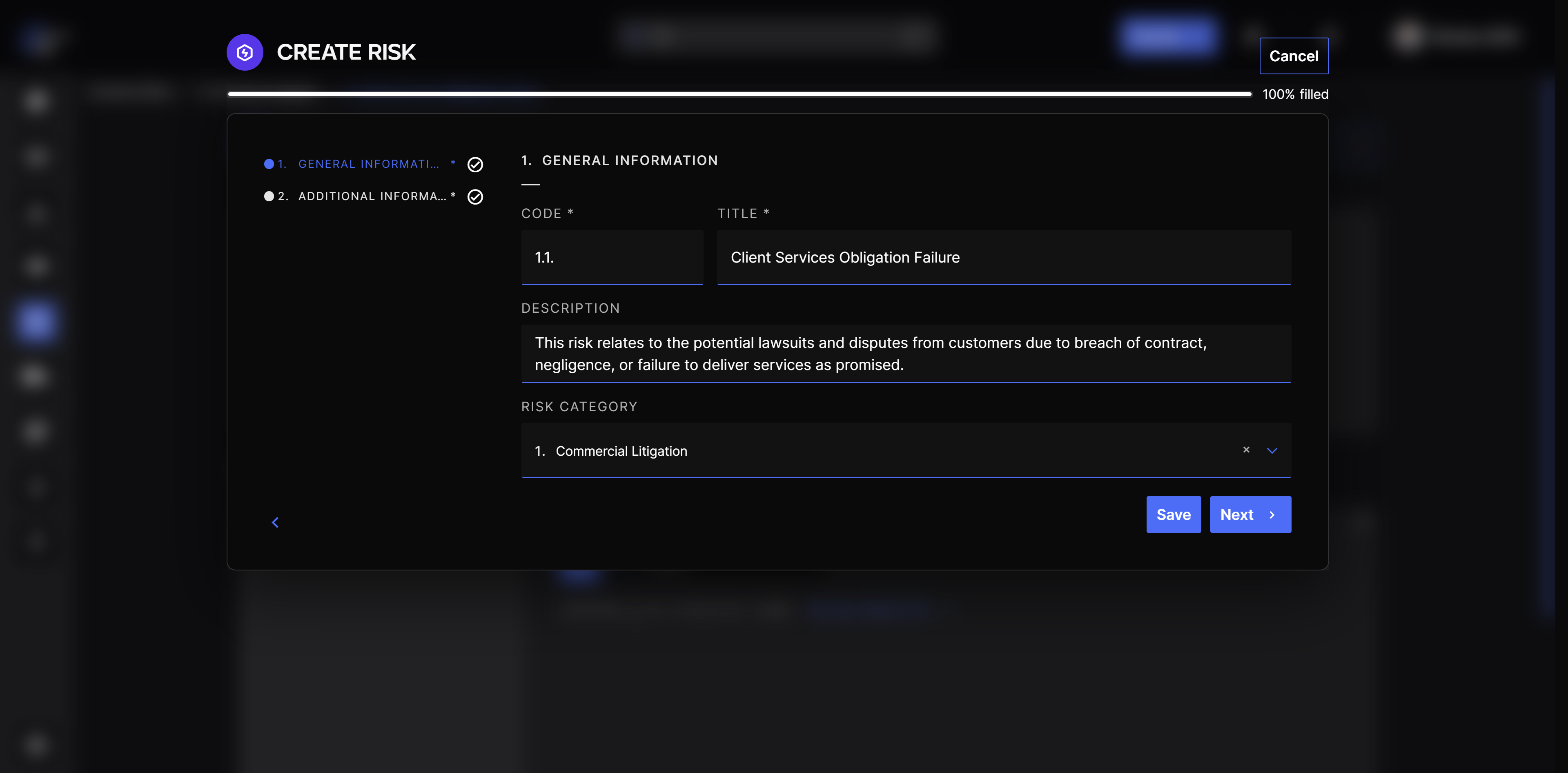
You can also Edit and Delete the Risk from the Risk Details page after its creation.
Creating Sub-Risks
You can create Sub-Risks through 2 methods:
- Using the Risk option in the Create button in the top bar, and selecting a Risk Category as the parent Risk.
- Navigating to Risks Management > Risks, selecting the Risk Category under which you want to create the Sub-Risk, and using the Create Sub-Risk button in the Sub-Risks tab.